
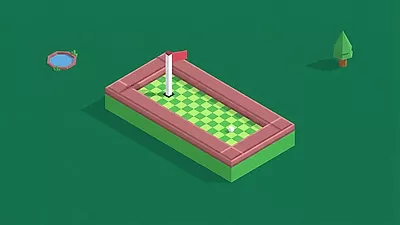
How to play?
Game Rules:
- Start a Shot: Keep an eye out for a white circle blinking around the ball; that's your cue to take a shot.
- Strength Indicator: Watch the little cubes indicating power levels. A single green cube signifies the gentlest tap, while five red ones mean maximum force. Yellow cubes indicate moderate power.
- Hole Approach: Don't worry about the flag; it automatically moves out of the way when the ball gets near the hole.
- Avoid Overhitting: Be careful with your power when you're close to the hole, or the ball might just bounce right over it!
- Shot Limit: You only have a limited number of shots, displayed as golf clubs at the bottom of the screen.
- Out of Bounds Penalty: Hitting the ball off the designated course means you lose a shot and have to start over from your previous spot.
- Adapt to Environments: Be mindful of the terrain; snow blocks in levels 20-30 and grass or sand in levels 30-40 will slow down the ball's momentum.
Controls:
- Aim: Drag the cursor in the opposite direction of where you want the ball to travel.
- Adjust Strength: The further back you pull, the more powerful your shot becomes.
- Execute: Release your click to take the shot.
Mini Golf Similar Games
If you enjoy this game, you might also like these games with similar gameplay.
FAQ:
- Q: How do I know when I can shoot?
- Q: What happens if I use too much force near the hole?
- Q: What happens if my shot goes out of bounds?
You can shoot when a white circle flashes around your golf ball.
If too much force is applied, the golf ball will jump over the golf hole.
If your shot is out of bounds (not on the designated floor), you lose a shot and are returned back to where you were before the shot.
Comments
Be the first to comment!